
Peak Season Prep Thermal Printers & Barcode Scanners
Peak Season Prep for Barcode Printers and Scanners
Getting your print and scan infrastructure ready for peak season
Peak season hits warehouse print-and-scan systems harder than anything else on the calendar. The spike in order volume means more labels printed per hour, more scans per shift, and more wear on equipment that was running fine at normal throughput. Printers that haven’t been serviced since last peak will jam. Scanners with cracked housings will finally die. Label stock will run out on the worst possible day. The prep work is straightforward — you just have to actually do it before volume ramps up.
Audit your current equipment
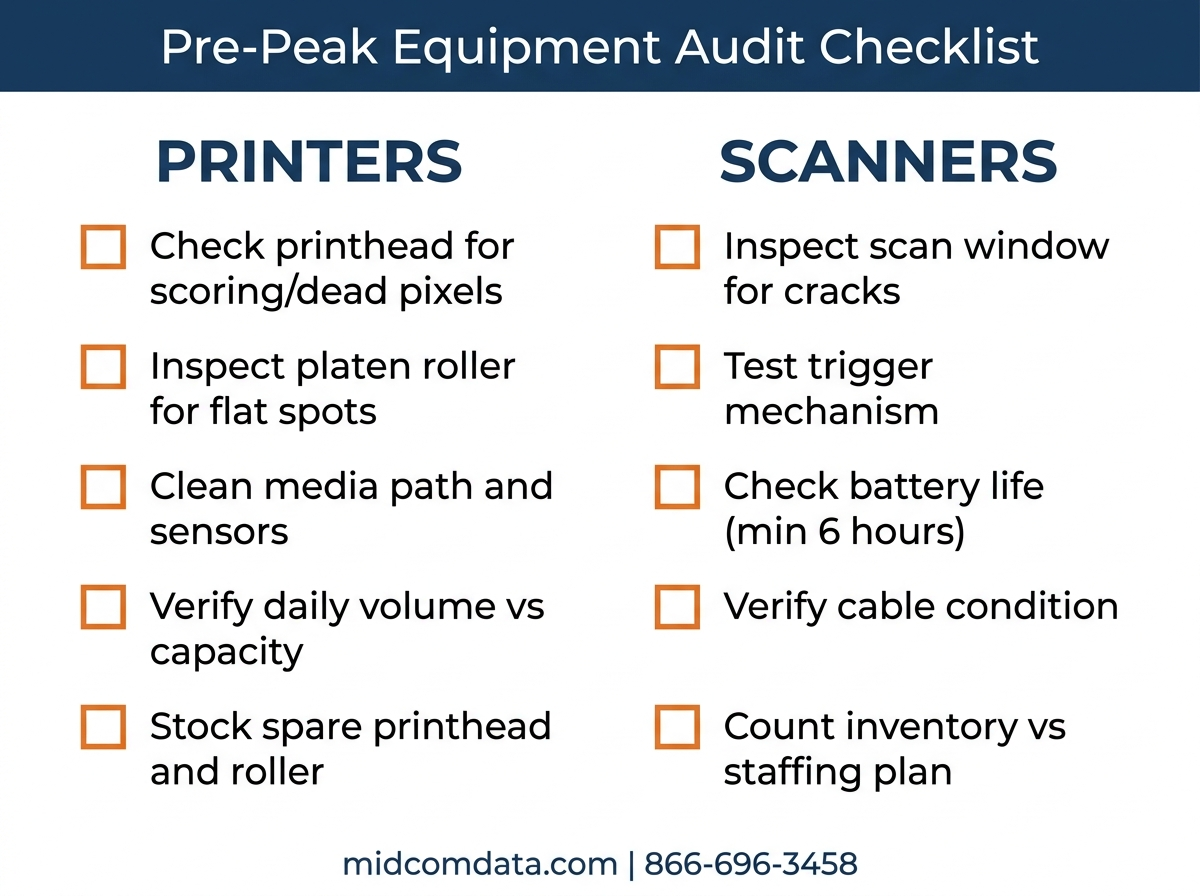
Start with a physical walkthrough of every printer and scanner in your operation. Not a spreadsheet review — actually go look at each device. You’re checking for three things: equipment that’s already showing problems, equipment that’s reaching end of life, and equipment gaps where volume has outgrown the current setup.
Printers
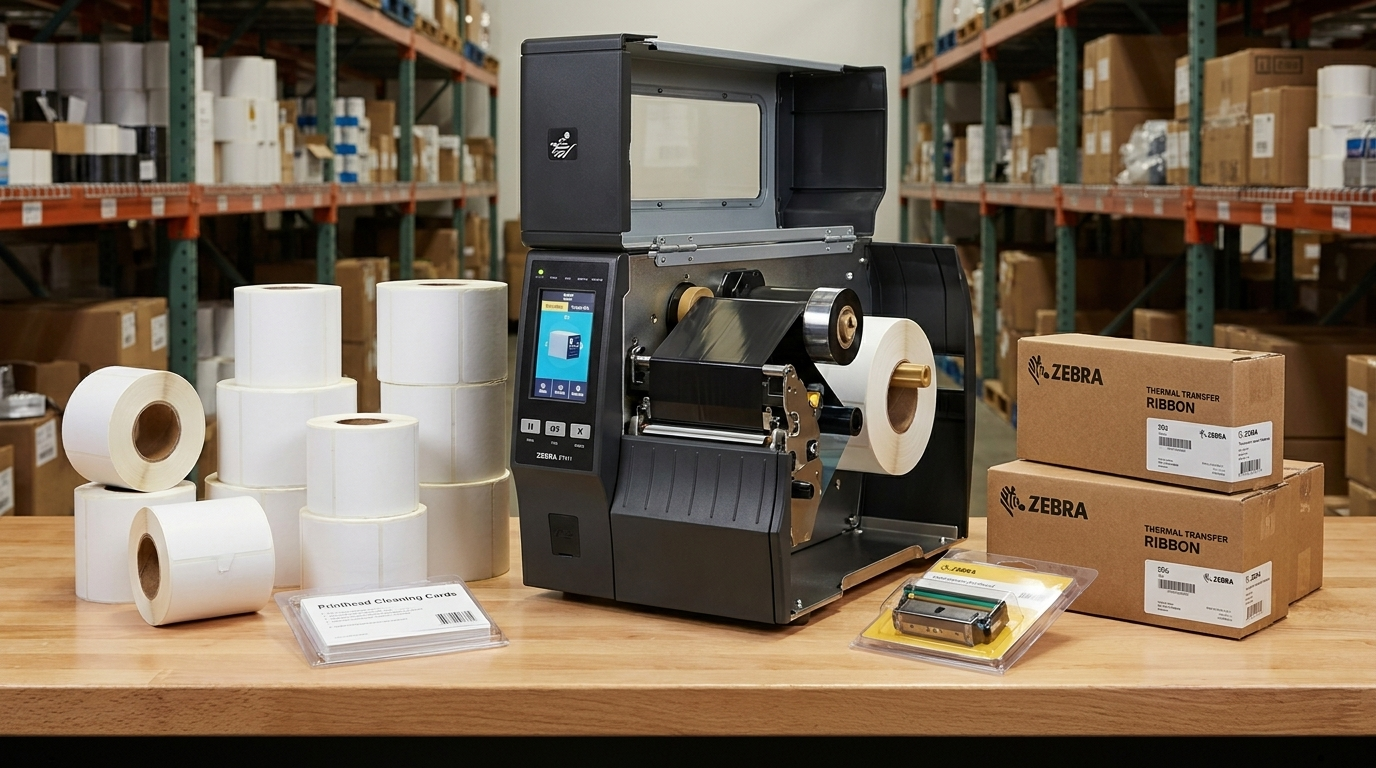
Check printhead condition first. A printhead with visible scoring, residue buildup, or dead pixels produces faded, streaky labels that cause scan failures downstream. If your printhead has over 2 million linear inches on a thermal transfer setup (or 4 million on direct thermal), plan to replace it before peak — not during. Replacing a printhead takes 15 minutes; waiting for a replacement to ship while your pack line is backed up takes days.
Check platen rollers for flat spots and glazing. A worn platen roller causes inconsistent print density and label tracking problems. Check the peel bar and tear bar for damage. Open the printer and look for label adhesive buildup on the sensors and guides — this is the most common cause of “mysterious” label feeding issues, and a 5-minute cleaning fixes it.
For each printer, note the daily label volume it currently handles and what peak volume will require. If a desktop printer is running 400 labels per day now and peak will push that past 800, it’s going to struggle. A Zebra ZD421 running at double its comfortable throughput won’t fail catastrophically — it’ll just slow your line down and burn through printheads faster.
Scanners
Inspect every handheld scanner for cracked windows, damaged triggers, and worn cables. A scanner with a hairline crack in the scan window might read 95% of barcodes at normal speed, but when operators are scanning twice as fast during peak, that 5% failure rate becomes 200 missed scans per shift.
Test battery life on cordless scanners. A battery that lasts a full 8-hour shift in July might only make it to lunch by November if it’s degraded 20% since it was new. Order replacement batteries now if any unit drops below 6 hours of runtime. Batteries take 2 to 4 weeks to arrive from most suppliers.
Count your scanner inventory against staffing plans. If you’re adding temporary workers for peak, each one needs a scanner. Sharing scanners between operators causes downtime and frustration — budget one scanner per picking or receiving position.
Service your printers before the rush
Preventive maintenance before peak costs a fraction of emergency repair during peak — in service fees and in lost throughput.
At minimum, every thermal printer should get a cleaning and calibration before peak season starts. Clean the printhead with approved cleaning cards or isopropyl alcohol wipes (99% IPA, not 70%). Clean the platen roller. Remove adhesive buildup from the media path and sensors. Calibrate the printer for the label stock you’ll be running during peak — don’t assume last quarter’s calibration is still correct, especially if you’ve changed label suppliers.
If your printers haven’t been professionally serviced in the past 12 months, schedule on-site preventive maintenance now. MIDCOM Data Technologies offers on-site printer service with over 3,000 technicians across the U.S. and Canada. A technician can clean, calibrate, and inspect a printer in about an hour and catch problems you won’t see until they shut down your line. Follow our preventive maintenance schedule for a complete checklist.
For printers that are critical to your operation — the ones where a failure shuts down a shipping line — consider stocking a spare printhead and a spare platen roller on site. A $150 printhead sitting on a shelf costs less than one hour of downtime during peak. MIDCOM stocks printheads and spare parts for all major brands and can ship next-day in most cases.
Stock up on consumables
Running out of labels or ribbon during peak season is entirely preventable and entirely your fault if it happens. Calculate your peak daily label volume, multiply by the number of peak days, add a 20% buffer, and order that quantity at least 6 weeks before peak starts.
Label stock
Figure out how many labels you print per day at current volume, then apply your expected peak multiplier. If you print 2,000 shipping labels per day now and peak typically runs 3x normal volume, plan for 6,000 labels per day. Over a 6-week peak, that’s 252,000 labels. At 500 labels per roll, you need 504 rolls. Order 600 to cover waste, misprints, and test prints. Then add your product labels, bin labels, and any compliance labels on top.
If you run multiple label sizes, track each one separately. Running out of 4×6 shipping labels is bad. Running out of 2×1 product labels because you forgot to count them separately is just as bad and more embarrassing.
Ribbon
If you’re running thermal transfer, calculate ribbon consumption alongside label consumption. A standard wax ribbon prints approximately 1,500 to 2,500 4×6 labels depending on density and darkness settings. So 252,000 labels at 2,000 per ribbon means 126 ribbons. Order 150.
Order the right ribbon type. Wax for paper labels, wax-resin for coated labels or anything that gets handled a lot, resin for synthetics. This isn’t the time to experiment with a cheaper ribbon — if it smears or doesn’t adhere, you’ll be reprinting labels at peak volume. Stick with what works.
Cleaning supplies
Printhead cleaning pens, cleaning cards, isopropyl wipes, and compressed air. You should be cleaning printheads daily during peak season — the higher volume means more debris and faster buildup. Budget for daily cleaning when you order supplies.
Plan for equipment failures
Something will break during peak. Always does. The question is whether you have a plan or whether you’re scrambling.
Identify your single points of failure. If you have one printer feeding one pack line and it goes down, that line stops. The fix is either a backup printer ready to swap in or a service contract that guarantees response time.
MIDCOM’s printer protection plans offer guaranteed response times, including next-business-day on-site service and loaner equipment programs. During peak season, the difference between a 4-hour response and a 48-hour response is the difference between a minor hiccup and a shipping disaster.
If you don’t have a service contract, at least have your service provider’s number saved before peak starts. Calling around to find a thermal printer technician while your pack line is idle is not how you want to spend a Tuesday in November.
For scanners, have 10 to 15% spare inventory. If you run 20 scanners during peak, have 2 to 3 extras charged and configured. When a scanner breaks or a battery dies mid-shift, the operator grabs a spare and keeps working. A broken scanner doesn’t have to mean a stopped picker.
Test your network and connectivity
Wireless printers and scanners depend on your Wi-Fi network. Peak season often coincides with the highest number of connected devices in your facility — temporary workers with mobile devices, extra printers, additional scanners, IoT sensors. If your access points are near capacity at normal volume, they’ll choke during peak.
Run a wireless site survey before peak. Check signal strength at every printer and scanner location. Look for dead spots, interference, and congestion on your operating channel. If your scanners are on the same channel as the guest Wi-Fi network, fix that before you add 30 temporary workers’ phones to the same band.
Wired connections are more reliable for stationary printers. If a printer sits in one spot and prints 5,000 labels per day, plug it in with Ethernet. Wi-Fi is for mobile printers and scanners that roam the floor — not for fixed-position high-volume devices.
Train temporary staff
Seasonal workers who’ve never touched a thermal printer or barcode scanner will break things, waste labels, and cause errors if nobody shows them the basics. You don’t need a 4-hour training program. Twenty minutes covering the essentials is enough:
For scanners: how to trigger a scan, how to tell if the scan registered (beep and green light vs. no response), how to handle a no-read (reposition and retry, don’t slam the scanner against the barcode), and where to get a replacement if the battery dies. For printers: how to load a new roll of labels, how to load a new ribbon (thermal transfer only), and who to call if the printer starts producing bad labels. Not how to fix it — who to call. Temp workers should not be adjusting printhead pressure or darkness settings.
Print a one-page quick reference card for each work station. Label it with the steps, the phone extension for your tech support person, and photos of what a good label vs. a bad label looks like. Simple, physical, visual.
Build your peak season checklist
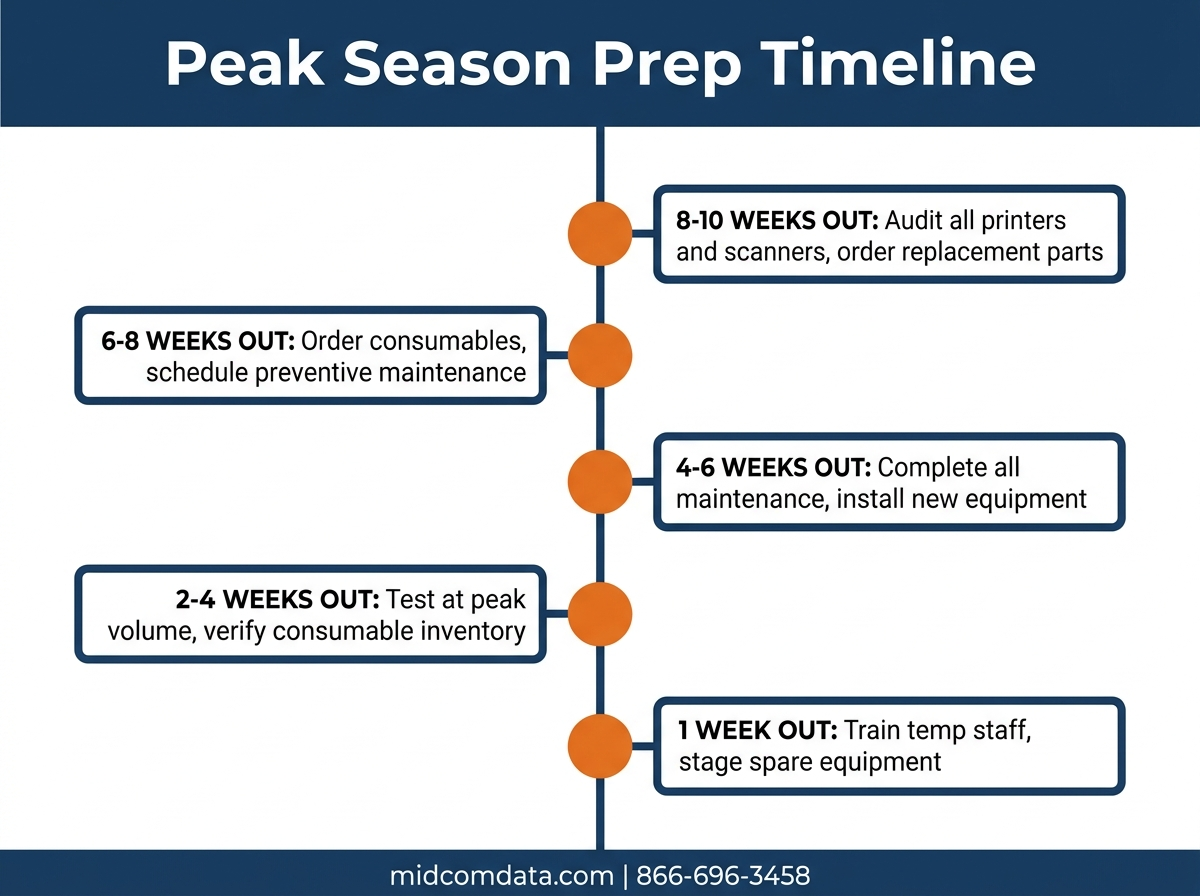
Timing matters. Here’s when to do each step relative to your peak start date:
8 to 10 weeks out: Audit all printers and scanners. Identify equipment that needs repair or replacement. Order replacement parts and backup equipment.
6 to 8 weeks out: Order consumables (labels, ribbons, cleaning supplies). Schedule preventive maintenance visits. Order replacement batteries for cordless scanners.
4 to 6 weeks out: Complete all preventive maintenance. Install and configure any new printers or scanners. Run a wireless network assessment. Set up spare equipment and verify it works.
2 to 4 weeks out: Test every printer and scanner at expected peak volume for at least one full shift. Verify consumable inventory has arrived. Prepare training materials for temp staff.
1 week out: Train seasonal employees on scanner and printer basics. Stage spare scanners and batteries at work stations. Confirm service provider contact information and contract coverage.
MIDCOM Data Technologies can handle the entire prep process — equipment audits, preventive maintenance, consumable supply, and on-site service contracts. Call 866-696-3458 or request a consultation.
Frequently asked questions
When should I start preparing for peak season?
Start 8 to 10 weeks before your peak volume begins. Equipment audits, part orders, and preventive maintenance all require lead time. If your peak starts in mid-November, begin preparation in early September at the latest.
How many spare scanners should I keep on hand?
Keep 10 to 15% of your active scanner count as spares. If you run 20 scanners during peak, have 2 to 3 configured, charged, and ready to swap in. This covers equipment failures and battery deaths without stopping an operator’s workflow.
What consumables run out fastest during peak?
Shipping labels run out first because they’re the highest-volume consumable in most operations. Thermal transfer ribbon runs out second. Printhead cleaning supplies often get forgotten entirely — order enough for daily cleaning of every printer throughout peak season.
Should I buy new printers or repair existing ones for peak?
If a printer is less than 5 years old, under its rated duty cycle, and working properly after maintenance, repair and maintain it. If it’s older than 5 years, running above its rated daily volume, or requiring frequent service calls, replace it before peak. A new printer costs less than 2 days of downtime during your busiest season.
What happens if a printer breaks during peak and I don’t have a service contract?
Without a service contract, you’re calling for emergency repair at premium rates with no guaranteed response time. During peak season, printer service providers are at their busiest. A service contract from MIDCOM guarantees response times and can include loaner equipment so your line keeps running while the broken unit is repaired.