
5 Warning Signs
5 Warning Signs Your Thermal Printer Needs Professional Service
When Something Is Off With Your Thermal Printer
A thermal printer that is starting to fail rarely stops working all at once. It sends smaller signals first: print quality slips, labels start jamming more often, or a noise you have never heard before shows up one morning. Catching these early means a scheduled service call instead of an emergency that takes your shipping line down for hours.
MIDCOM Data Technologies has a nationwide network of over 3,000 technicians servicing thermal printers from Zebra, Honeywell, SATO, Printronix, and Datamax across the U.S. and Canada. These are the five warning signs our technicians see most often and what they mean for your operation.
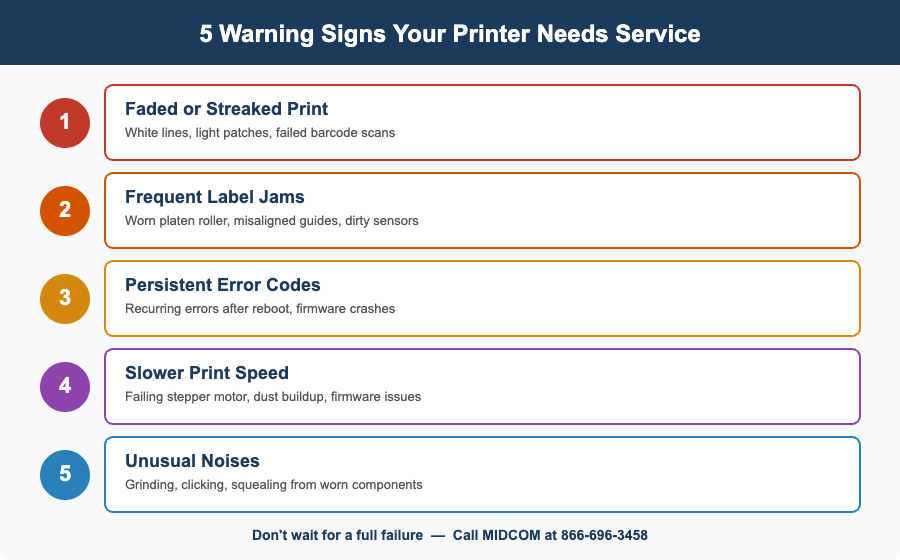
1. Faded, Streaked, or Inconsistent Print Quality
This is the most common early warning sign. Labels come out with light patches, horizontal white lines running through the print, or sections that look washed out compared to the rest of the label. Barcodes that were scanning perfectly last month are suddenly causing read failures at the next station in your workflow.
The printhead is usually the culprit. Thermal printheads have a finite lifespan, typically 1 to 3 million linear inches depending on the model, media type, and maintenance habits. A Zebra ZT411 printhead, for example, is rated for about 2 million linear inches under normal conditions with direct thermal media. With thermal transfer ribbon, printhead life often extends further because the ribbon protects the heating elements from abrasive direct contact with the label surface.
Before assuming the printhead needs replacement, check the basics. Clean the printhead with isopropyl alcohol and a lint-free wipe. Accumulated adhesive residue and dust from label stock are the number one cause of print quality issues. Also verify that your darkness setting has not been bumped too high, which accelerates printhead wear. If cleaning does not resolve the streaking, the printhead likely has failed heating elements and needs to be replaced.
If you are seeing this across multiple printers simultaneously, the problem may be a bad batch of media or ribbon rather than the printers themselves. Swapping in a known-good roll is a quick way to rule that out.
2. Labels Jamming or Feeding Incorrectly
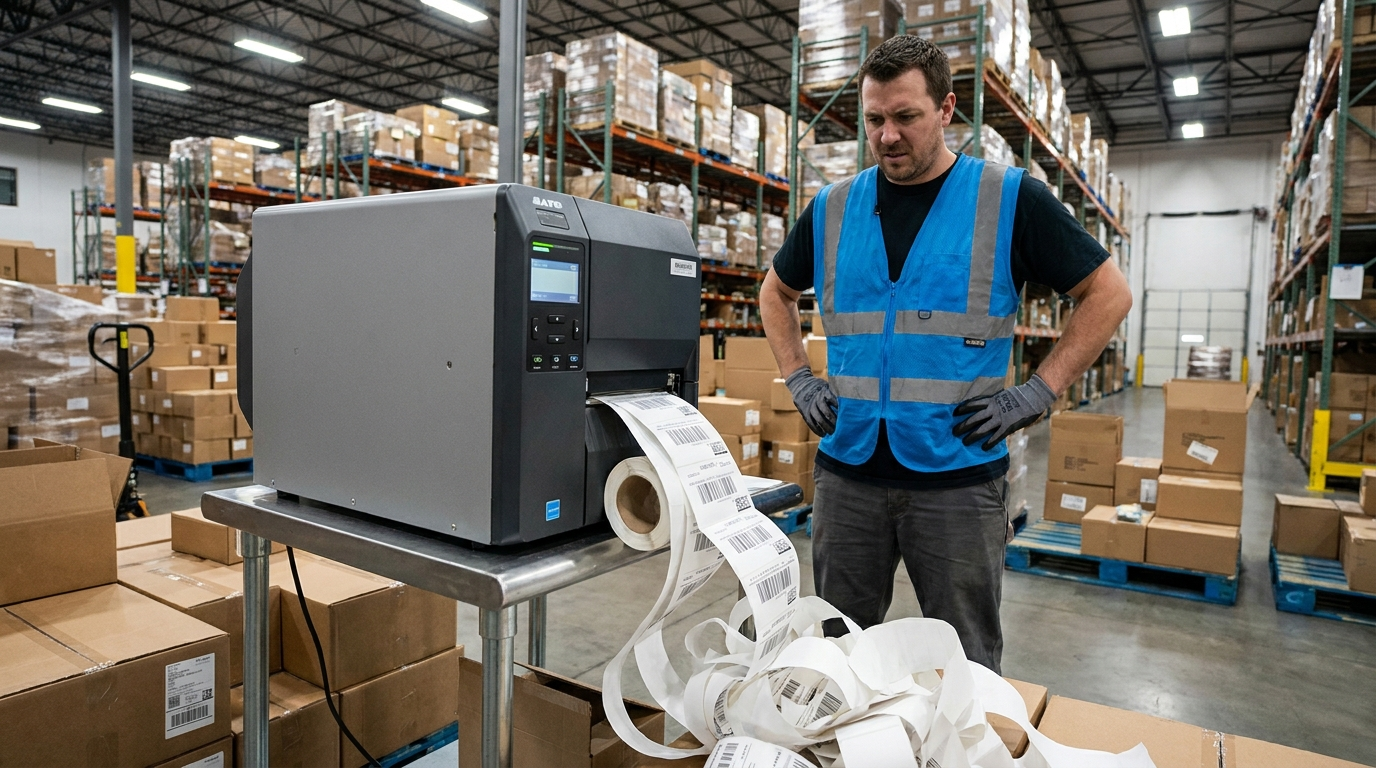
Occasional label jams happen. Frequent jams, more than once per roll, are a warning sign. The media path in a thermal printer involves a platen roller, media guides, sensors, and (in thermal transfer models) a ribbon path. When any of these components wear out or fall out of alignment, the label stock feeds unevenly, wrinkles, or bunches up under the printhead.
Common causes: a worn platen roller that no longer grips the media evenly, bent or misadjusted media guides that let the label stock drift sideways, or a media sensor that is dirty or failing. On ribbon-equipped printers, a worn ribbon spindle motor can cause ribbon wrinkle, which not only jams the printer but also produces poor print quality with smearing and voids.
Platen rollers are a wear item. On a printer running two to three shifts per day, the roller surface degrades over 12 to 18 months and loses the traction needed to pull media through smoothly. Replacing a platen roller is a straightforward service call, but ignoring it leads to jams that damage printheads and waste media, both of which cost more to fix than the roller itself.
3. Persistent Error Codes or Frequent Reboots
Every thermal printer has a diagnostic system that throws error codes when something is out of spec. A “HEAD OPEN” error on a Zebra printer, for example, usually means the printhead latch is not fully engaging. Either the latch mechanism is worn or something is preventing the head from seating properly. A “RIBBON OUT” error when ribbon is clearly loaded often points to a faulty ribbon sensor.
Some error codes are straightforward and fixable in the field. Others, particularly those related to firmware crashes, communication failures, or main logic board issues, indicate problems that need a trained technician. If your printer is throwing errors that clear after a power cycle but come back within hours, or if the printer is spontaneously rebooting during print jobs, the underlying issue is getting worse, not better.
Keep a log of error codes and their frequency. When you call for service, this information helps the technician arrive with the right parts and diagnose the problem faster. MIDCOM technicians can often identify the root cause from the error pattern alone and bring the correct replacement components on the first visit.
4. Print Speed Has Slowed Down Noticeably
Thermal printers are rated for specific print speeds (a Zebra ZT411 tops out at 14 inches per second, for instance). If a printer that used to keep pace with your line is now lagging behind and creating a bottleneck at the labeling station, something is dragging it down.
Software and network issues are the first things to rule out. A print server bottleneck, a congested network connection, or a label format that has become more complex (high-resolution graphics, for example) can all slow output without any hardware fault. Check whether the slowdown happens with a test label printed directly from the printer’s internal memory — if the test label prints at full speed, the problem is upstream in the data pipeline, not in the printer.
If the printer itself is genuinely slower, the issue may be a failing stepper motor, a main board overheating due to dust buildup in the housing, or firmware corruption after a failed update. None of these resolve on their own. A technician can benchmark the printer, identify the bottleneck, and determine whether a repair restores full speed or whether the printer has reached end of useful life.
5. Unusual Noises: Grinding, Clicking, or Squealing
Thermal printers are not silent machines, but you learn what normal sounds like for your specific model. When a printer starts making sounds it did not make before (grinding during media advance, clicking at the start of a print job, a high-pitched squeal during ribbon take-up), something mechanical is failing.
Grinding typically points to a gear issue in the media drive train or a platen roller with bearing wear. Clicking can indicate a stepper motor that is skipping steps, which will also show up as misaligned prints or inconsistent label positioning. Squealing during ribbon advance usually means a spindle clutch or tension spring is wearing out, and if ignored, will lead to ribbon breaks that stop production and waste ribbon stock.
Do not wait for a new noise to turn into a full failure. Mechanical problems in thermal printers get worse over time, and a component that fails mid-shift creates more downtime and cost than a scheduled repair would have. MIDCOM’s on-site repair service can dispatch a technician to your facility to diagnose and fix the issue before it becomes an emergency.
What to Do When You Spot These Signs
If your printer is showing one or more of these symptoms, you have three options, and the right one depends on the severity and the age of the equipment.
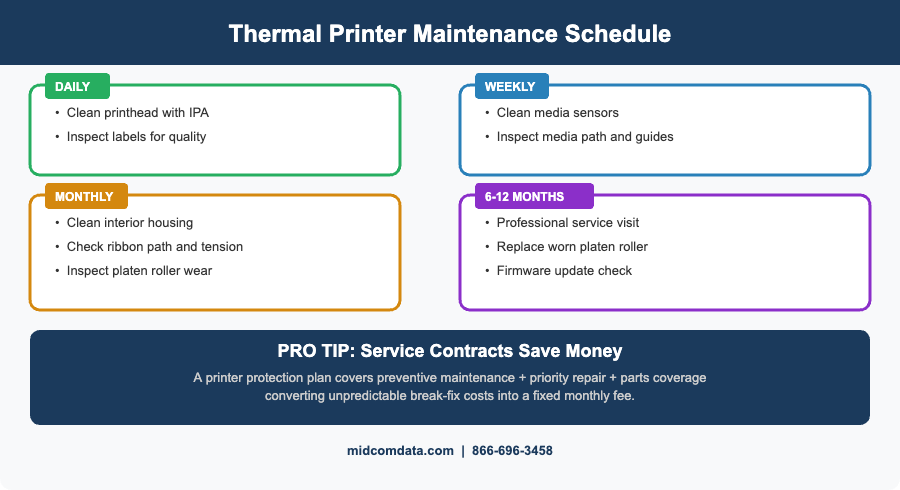
DIY maintenance: Printhead cleaning, media sensor cleaning, and basic calibration are things your team can handle with minimal training. These address a large percentage of print quality and feeding issues, especially on printers that have been running without regular cleaning.
Professional repair: For persistent errors, mechanical issues, and problems that survive basic troubleshooting, a trained technician is the fastest way to get it fixed. MIDCOM’s on-site repair service covers all major thermal printer brands and brings OEM-quality parts on the first visit. For less urgent repairs, MIDCOM’s express repair depot offers fast turnaround with shipping both ways.
Planned replacement: If a printer is out of warranty, has had multiple major repairs, and is more than 7–8 years old, the cost of continuing to fix it often exceeds the cost of a new unit. MIDCOM’s thermal printer buyback program gives you credit toward a new printer so the old equipment does not just become e-waste.
The smartest approach is to not wait for symptoms at all. A printer service contract from MIDCOM covers preventive maintenance visits, priority repair response, and parts, turning unpredictable break-fix bills into a flat monthly expense.
Frequently Asked Questions
How do I know if my thermal printhead needs replacing?
The most reliable sign is consistent white lines or voids in the print output that persist after cleaning the printhead with isopropyl alcohol. These lines indicate failed heating elements in the printhead, which cannot be repaired, only replaced. Most thermal printheads last 1 to 3 million linear inches depending on the media type and maintenance routine.
Why does my thermal printer keep jamming?
Frequent jams are typically caused by a worn platen roller that no longer grips media evenly, misadjusted media guides, or a dirty media sensor that cannot detect the gap or mark between labels. On thermal transfer printers, ribbon wrinkle from a worn spindle motor can also cause jams. Replacing the platen roller and cleaning the sensor path resolves most recurring jam issues.
How often should thermal printers be serviced?
For printers running one shift per day, a professional service visit every 12 months is a reasonable baseline. High-volume operations running two or three shifts should schedule service every 6 months. Between professional visits, daily printhead cleaning and weekly sensor and media path cleaning keep most problems from developing.
What is the average lifespan of an industrial thermal printer?
Industrial thermal printers from brands like Zebra, Honeywell, and SATO typically last 7 to 10 years in a well-maintained warehouse environment. The printhead, platen roller, and ribbon components are consumable parts that get replaced multiple times over the printer’s life. Regular maintenance and timely part replacement are what keep a printer running for a full decade rather than failing at year four or five.
Should I repair my thermal printer or buy a new one?
As a general rule, if a single repair costs more than 40–50% of a comparable new printer’s price, or if the printer has needed three or more major repairs in the past 12 months, replacement makes more financial sense. MIDCOM’s technicians can give you a straight assessment after diagnosing the issue, and the thermal printer buyback program helps offset the cost of new equipment.
Do Not Ignore the Warning Signs
Every hour of unplanned downtime on a labeling line costs money in missed shipments and overtime labor. The five signs above are your printer telling you it needs attention before things get worse. Contact MIDCOM Data Technologies at 866-696-3458 to schedule a service call or explore replacement options that keep your lines moving.
Contact MIDCOM Data Technologies at 866-696-3458.