
Replacing a Thermal Printhead
When to Replace a Thermal Printhead (and How to Make It Last Longer)
When to replace a thermal printhead
A thermal printhead replacement is necessary when your printer produces faded or streaked labels that cleaning and recalibration can no longer fix. Most thermal printheads are rated for 500,00 to 1 million linear inches of printing, which translates to roughly 1 to 2 years of use in a typical warehouse environment running one to two shifts per day. Knowing when to swap a worn printhead, and what habits extend its life, can save you thousands of dollars in downtime and wasted labels each year.
How a thermal printhead works
A thermal printhead contains a row of tiny resistive heating elements, each one responsible for printing a single dot. On a 203 DPI (dots per inch) printhead, that means roughly 832 elements across a standard 4-inch label. Higher-resolution heads pack even more: a 300 DPI head on the same width uses about 1,248 elements, and a 600 DPI head uses approximately 2,496.
In direct thermal mode, these elements heat specially coated label stock to create an image. In thermal transfer mode, they melt ink from a ribbon onto the label surface. Either way, each element cycles through thousands of heating events per minute. Over time, the ceramic coating protecting those elements wears down, and individual elements begin to fail. That wear is unavoidable, but how fast it happens depends almost entirely on your maintenance habits and consumable choices.
Signs your printhead needs replacement
Print quality problems fall into two categories: issues you can fix with maintenance and issues that mean the printhead is done.
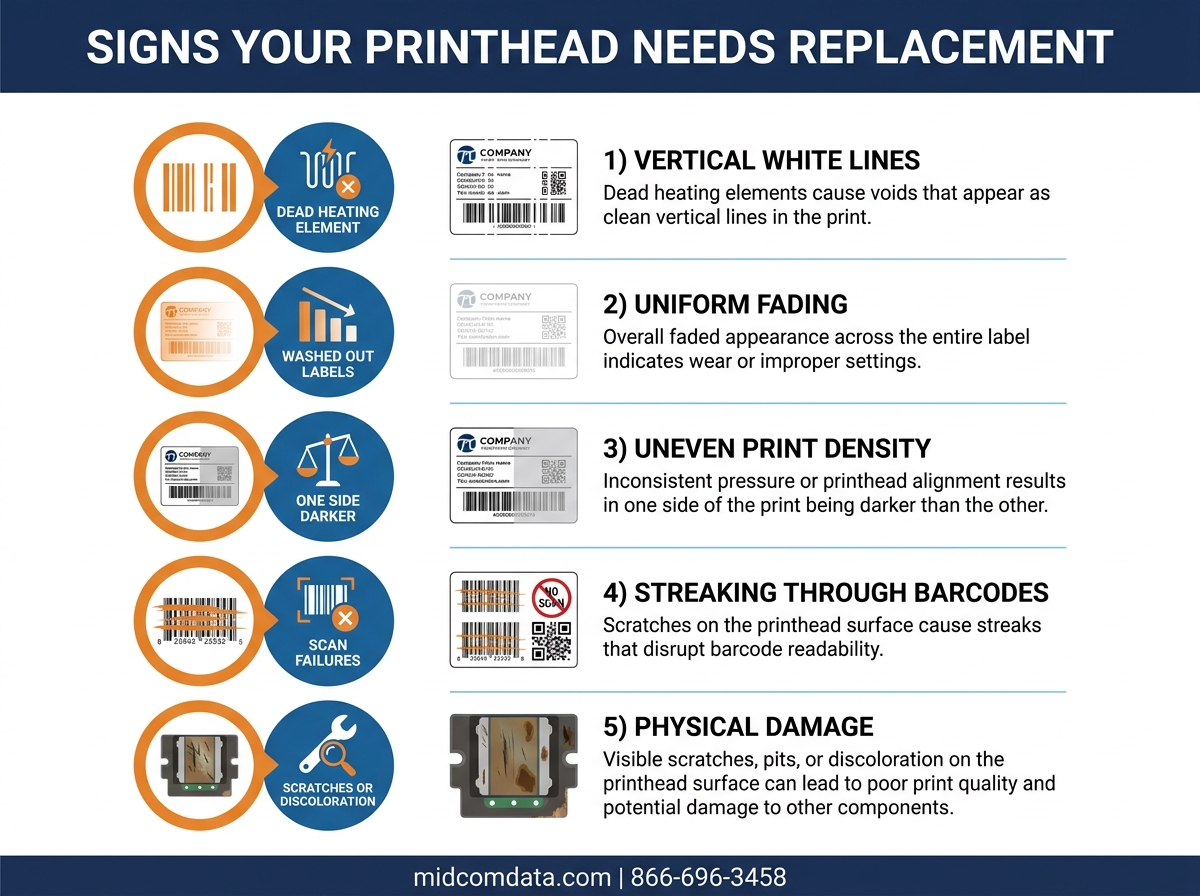
Vertical white lines that won’t go away
A thin white line running the full length of a label means a heating element has died. If cleaning the printhead with an isopropyl alcohol (IPA) pen doesn’t remove the line, that element is permanently failed. One or two dead elements near the label edge may be tolerable depending on your application. But if the line runs through a barcode, your scanner rejection rate will climb fast. On a Zebra ZT411 running GS1-128 shipping labels, even a single dead element in the barcode zone can push scan failure rates above 5%.
Gradual fading across the entire label
When the whole label looks washed out and increasing the darkness setting past your normal level (for example, above 20 on a Zebra or past a density of 12 on a Honeywell PM45) doesn’t restore acceptable contrast, the printhead’s resistive layer has degraded uniformly. Pushing the darkness higher to compensate will accelerate wear on the remaining elements and shorten the head’s life further.
Inconsistent print quality between label sides
If the left half of your label prints darker than the right, or vice versa, the printhead pressure may be uneven or one side of the head has worn faster than the other. Adjusting the printhead pressure balance can sometimes help, but if the imbalance returns quickly after adjustment, the head itself is warped or unevenly worn.
Burn marks or physical damage
Visible scoring, scratches, or discoloration on the printhead surface means the protective glaze layer is compromised. This usually results from running labels with exposed adhesive past the head (a common problem with poorly die-cut labels) or from using low-quality ribbons that leave abrasive residue. Once the glaze is damaged, replacement is the only fix.
Average printhead lifespan by printer type
Printhead life varies based on the printer model, print mode, and operating conditions. These figures assume proper maintenance and quality consumables.
- Zebra ZT411 / ZT421 (industrial): 500,000 linear inches at 203 DPI. At a typical throughput of 2,000 4×6 labels per day, that works out to roughly 1 to 2 years.
- Honeywell PM45 (industrial): 500,000 linear inches at 203 DPI. Similar throughput yields comparable life to the Zebra equivalent.
- SATO CL4NX Plus (industrial): 500,000 linear inches at 203 DPI. SATO’s RFID-enabled models see slightly shorter head life due to the additional label dwelling time during tag encoding.
- Zebra GK420d / ZD421 (desktop): 250,000 to 500,000 linear inches at 203 DPI. Desktop models typically use direct thermal mode, which wears heads faster than thermal transfer.
- Datamax I-4310e Mark II (industrial): 750,000 linear inches at 300 DPI. This model’s larger printhead element design tends to deliver longer element life.
These numbers assume you are using manufacturer-recommended labels and ribbons. Cheap third-party consumables can cut printhead life by 30% to 50%.
What kills a printhead early
Most premature printhead failures trace back to a few preventable causes.
Low-quality or mismatched ribbons
Thermal transfer ribbons come in three main formulations: wax, wax-resin, and full resin. Each is designed for specific label facestock types. Running a wax ribbon on a synthetic polypropylene label, for example, requires higher heat settings to get the ink to adhere, and that extra heat accelerates printhead wear. Always match your ribbon type to your label material. If you are printing on synthetic or poly labels, use a resin or wax-resin ribbon rated for that stock.
Dirty or debris-laden print path
Label dust, adhesive residue, and ribbon particles build up on the printhead surface and along the platen roller. These particles act like fine sandpaper against the printhead glaze. Zebra recommends cleaning the printhead after every roll of ribbon or every roll of direct thermal labels. In dusty warehouse environments, cleaning after every 2 to 3 rolls may not be frequent enough.
Excessive darkness settings
Running your printer at maximum darkness when a lower setting would produce acceptable print quality generates unnecessary heat. Every degree of extra temperature shortens element life. Start with the lowest darkness setting that produces a scannable barcode and legible text, then increase one increment at a time until you reach an acceptable level. Many Zebra printers include a built-in darkness calibration routine accessible through the front panel or ZPL command (~SD) that helps automate this process.
Print speed mismatches
Running a printer at its maximum rated speed (14 inches per second on a Zebra ZT411, for example) forces the printhead elements to cycle faster and run hotter. If your throughput requirements don’t demand that speed, dropping to 6 or 8 inches per second can noticeably extend printhead life while still keeping output high. A ZT411 running at 8 IPS printing 4×6 labels still produces over 80 labels per minute.
How to extend your printhead’s life
Getting maximum life from a printhead comes down to regular maintenance and correct consumable pairing. None of this is complicated, but it does require consistency.
Establish a cleaning schedule
Clean the printhead with a 99% IPA pen or IPA-soaked lint-free wipe after every ribbon change or every roll of direct thermal labels. Clean the platen roller at the same time. If your facility is particularly dusty or you’re printing at high speeds, clean more often. Zebra and Honeywell both sell printhead cleaning kits. Some industrial models like the SATO CL4NX Plus include a built-in printhead cleaning mechanism that runs automatically at configurable intervals.
Use manufacturer-approved consumables
Off-brand labels and ribbons are tempting from a cost perspective, but they frequently have rougher coatings, inconsistent adhesive application, or formulations that leave more residue. The cost difference between a genuine Zebra ribbon and a bargain alternative might be $3 to $5 per roll. The math favors quality consumables. Browse MIDCOM’s consumables catalog for compatible labels and ribbons from trusted manufacturers.
Run regular print quality tests
Print a printhead test pattern (available through the front panel menu on most industrial printers) at least once per week. This prints a solid black bar across the full label width, and dead elements show up immediately as white lines. Catching a degrading printhead early gives you time to order a replacement before it causes scan failures on the warehouse floor.
Store supplies correctly
Thermal labels and ribbons are sensitive to heat, humidity, and UV light. Store them in their original packaging in a climate-controlled area between 68 and 77 degrees Fahrenheit with relative humidity below 50%. Labels stored in a hot trailer or on a dock exposed to sunlight develop coating inconsistencies that require higher print temperatures, which accelerates head wear.
Replacing the printhead yourself vs. calling a technician
On most industrial thermal printers, the printhead is held in place by a latch mechanism and connects via a ribbon cable. Zebra, Honeywell, and SATO all design their industrial models for tool-free printhead swaps, so the physical replacement is straightforward.
The tricky part is the calibration afterward. After installing a new printhead, you need to:
- Run a media and ribbon sensor calibration
- Adjust printhead pressure balance for your specific label width
- Reset the darkness setting to an appropriate baseline (the new head’s optimal setting is almost never the same as the worn head’s)
- Print and verify test labels across the full label width
- Verify barcode grade with a scanner to confirm readability meets your compliance requirements
If you’re managing a fleet of 5 or more printers, the time spent on printhead replacements and calibrations adds up. MIDCOM Data Technologies provides on-site thermal printer repair through a network of 3,500+ certified technicians across the U.S. and Canada, with next-business-day dispatch available for most locations. A technician handles the swap, calibration, and verification in a single visit. For operations that go through printheads regularly, a printer service contract covers replacements, preventive maintenance, and priority dispatch at a predictable monthly cost.
Get your printers running right
A worn printhead causes scan failures that slow down your shipping lines, trigger chargebacks from retail partners, and create compliance headaches. If you need a printhead replacement, a fleet-wide preventive maintenance program, or help choosing the right consumables, MIDCOM Data Technologies has been solving these problems for over 40 years.
Call 866-696-3458 to speak with a live specialist, or request a quote online. With 3,500+ technicians nationwide, we can typically have someone on-site by the next business day.
Frequently asked questions
How often should you replace a thermal printhead?
Most thermal printheads last between 50 and 100 million linear inches, which works out to approximately 2 to 5 years in a standard warehouse operation running one to two shifts. Replace the printhead when you see persistent vertical white lines through barcodes, uniform fading that cleaning and darkness adjustments can’t fix, or visible physical damage to the head surface. A weekly printhead test pattern will help you spot degradation before it affects production.
Can you clean a thermal printhead instead of replacing it?
Yes, regular cleaning with 99% isopropyl alcohol extends printhead life and resolves many print quality issues. Clean the printhead after every ribbon or label roll change. However, cleaning cannot restore dead heating elements. If a vertical white line persists after thorough cleaning, that element has failed permanently, and the printhead will eventually need replacement.
What causes a thermal printhead to fail prematurely?
The most common causes of early printhead failure are low-quality or mismatched ribbon and label combinations, infrequent cleaning, excessive darkness settings, and environmental contaminants like dust and adhesive residue. A wax ribbon on synthetic labels, for example, forces higher heat settings that accelerate element wear. Manufacturer-recommended consumables and a consistent cleaning schedule are the two most effective ways to prevent early failure.
Should I replace the printhead myself or call a technician?
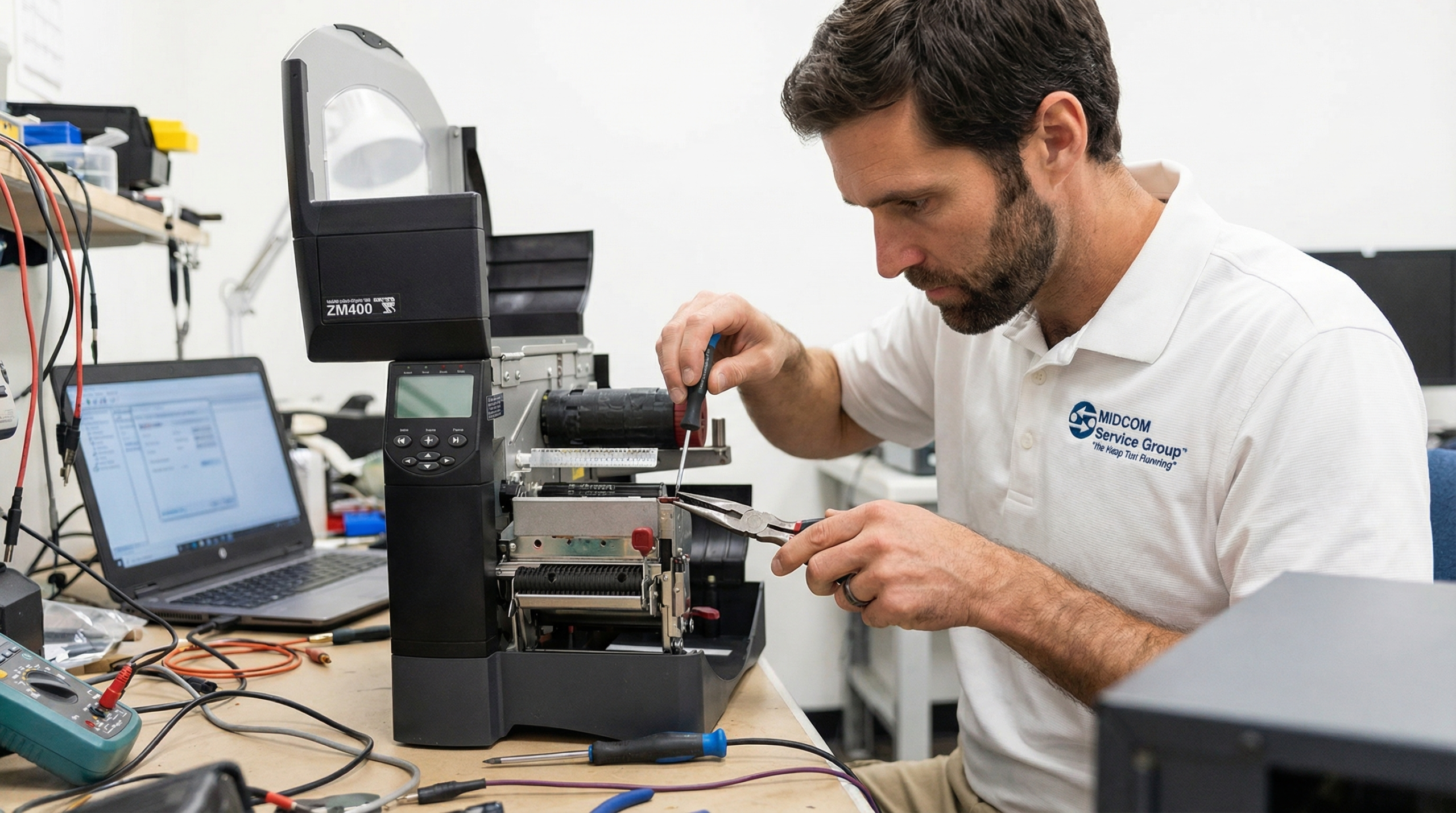
The physical swap is straightforward on most industrial thermal printers and doesn’t require tools. The harder part is post-installation calibration: sensor calibration, pressure adjustment, darkness optimization, and barcode verification all need to be done correctly to avoid scan failures. If you’re comfortable with those steps and have a barcode verifier on hand, self-replacement is reasonable for a single printer. For fleets of 5 or more printers, or if you need guaranteed compliance-grade barcode output, a certified technician will save time and reduce risk.
To learn more about printhead replacement for your thermal label printers, contact MIDCOM Data Technologies at (866) 693-6176 or fill out the form below. We are here to help!