
Barcode Verification: What Print Quality Grades Mean
What a barcode quality grade actually measures
A barcode verification grade is a letter score from A to F that says how closely a printed barcode matches the ISO standard for readability — not whether your scanner happens to read it today. A scanner tells you “it scanned.” A verifier tells you whether it will still scan on a different reader, at a different angle, in a different building, six months from now. Most retailers and logistics partners require a minimum grade of C, and labels that pass in your warehouse routinely fail at the receiving dock.
Verifier vs. scanner: why your scanner isn’t enough
Your handheld scanner is a forgiving instrument. Modern imagers apply aggressive image processing, try multiple decode algorithms, and will happily read a barcode that’s marginal, smudged, or low-contrast. That’s a feature when you’re picking orders. It’s a problem when you’re checking print quality, because it hides degradation until the label reaches somebody whose equipment is less forgiving.
A verifier is a measurement device. It uses a calibrated light source at a specified wavelength, a fixed aperture, and a controlled distance, then measures the reflectance profile of the symbol against the ISO standard. It doesn’t ask “can I read this?” It asks “how far is this from ideal, and in which direction?”
That distinction matters because barcode failures are rarely sudden. A printhead wears gradually, and print quality slides from A to B to C over months while every scanner in your building still reads the label fine. The first sign of trouble is usually a chargeback from a customer whose equipment caught what yours didn’t.
The two standards that matter
ISO/IEC 15416 covers linear (1D) barcodes — Code 128, GS1-128, UPC, ITF-14, Code 39. This is what applies to most warehouse and shipping labels.
ISO/IEC 15415 covers 2D symbols — Data Matrix and QR codes. Different parameters, same A-to-F scale.
You’ll hear these called “ANSI grades,” which is a holdover. The original ANSI X3.182 standard was folded into the ISO specifications years ago, but the industry never dropped the name. If a customer’s routing guide says “ANSI grade C minimum,” they mean ISO/IEC 15416.
How the grade is calculated
For a 1D barcode, the verifier takes ten scan lines across the height of the symbol. Each scan is measured on a set of parameters, and that scan’s grade is the lowest of its parameter grades — one bad parameter drags the whole scan down. The overall symbol grade is then the average of those ten scan grades.
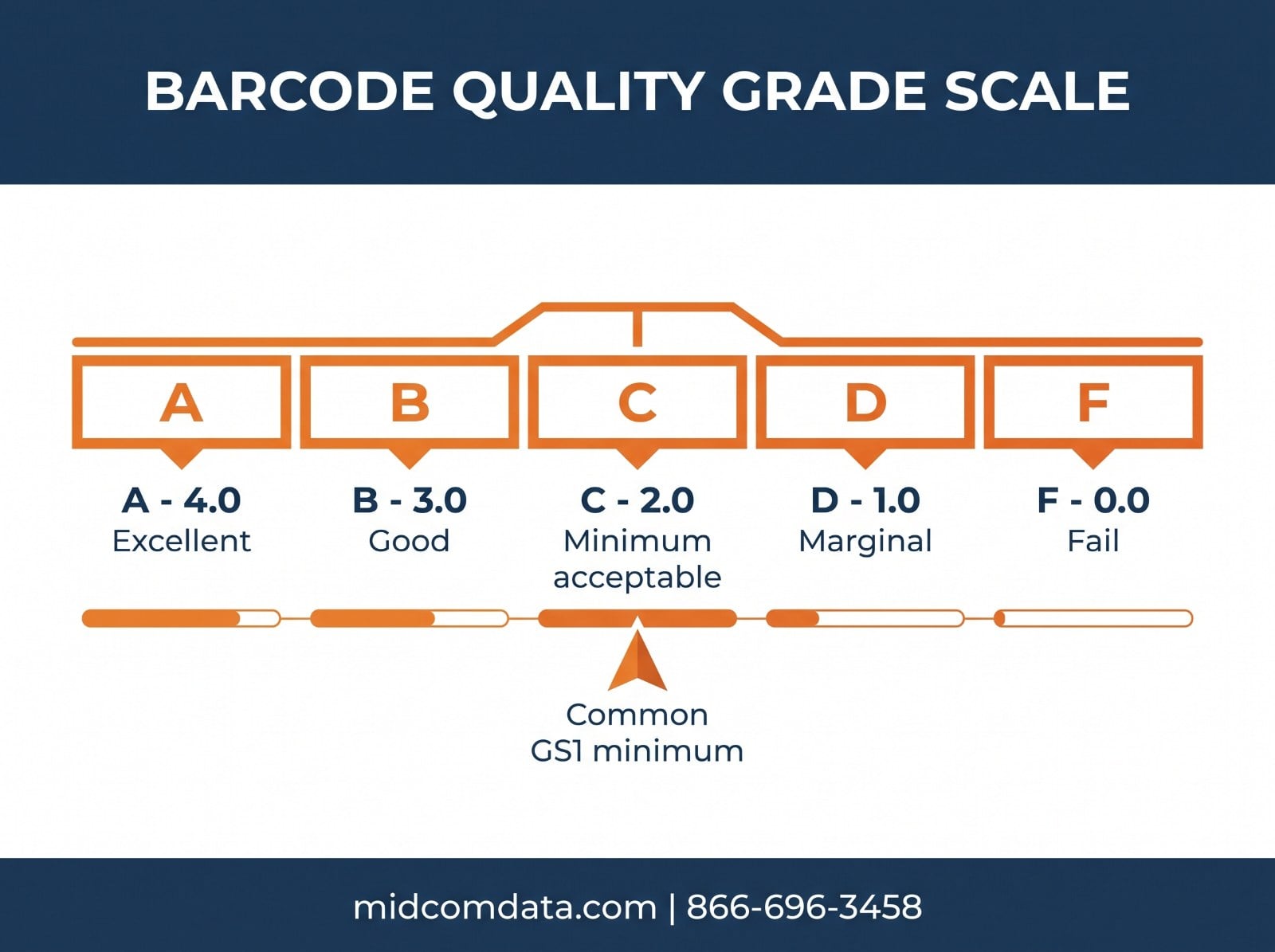
Grades map to numbers: A = 4.0, B = 3.0, C = 2.0, D = 1.0, F = 0.0. Because the final figure is an average, you’ll often see decimal grades like 2.7 rather than a clean letter.
What gets measured
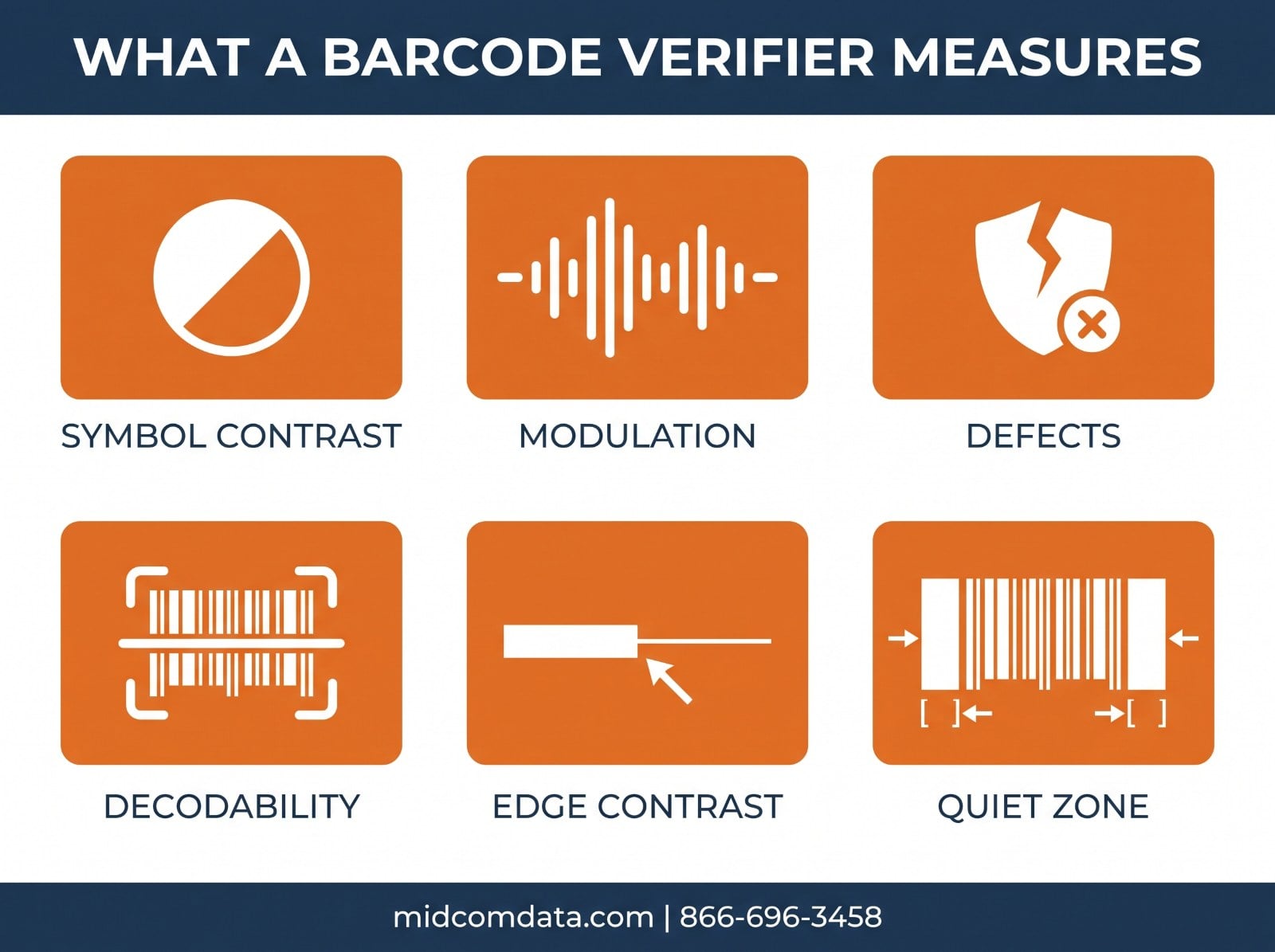
Decode — can the symbol be decoded by the reference algorithm at all? This is pass/fail. Fail here and the whole symbol is an F.
Symbol contrast — the difference in reflectance between the lightest and darkest parts. Low contrast usually means print that’s too light, or a substrate that isn’t white enough.
Modulation — how cleanly the bars and spaces separate from each other across the symbol. Poor modulation often comes from ink spread or a worn printhead firing unevenly.
Defects — voids in the bars or spots in the spaces. Dead printhead elements show up here first, as a thin white line running through every bar.
Decodability — how close the printed bar and space widths are to the symbology’s specified dimensions. This catches printing too fast, or a platen roller that’s letting the media slip.
Minimum reflectance and minimum edge contrast — whether the dark elements are dark enough and the transitions sharp enough.
Quiet zone — the blank margin required on either side of the symbol. This one is a layout mistake rather than a print problem, and it’s one of the most common causes of an otherwise-good barcode grading F.
What grade do you actually need?
For most GS1 applications, the minimum is grade 1.5 — which sits between D and C, and is commonly described as the C threshold. Requirements are written as three values, like 1.5/10/660: the minimum grade, the measuring aperture in thousandths of an inch, and the light wavelength in nanometers. If a customer specification gives you a number like that, all three parts matter — the same label measured with a different aperture can produce a different grade.
Some categories are more permissive. ITF-14 printed directly on corrugated shipping cases is typically held to 0.5/20/660, a grade D, because printing on corrugate is inherently rougher than printing on a label.
In practice, aim higher than the minimum. If you print to exactly grade C, normal printhead wear puts you below spec within weeks. Targeting a B gives you headroom to degrade through before anything reaches a customer.
What causes low grades, in order of likelihood
Printhead wear
The most common cause. Worn elements fire unevenly, producing voids and weak modulation. A printhead at the end of its rated life (1 to 4 million linear inches depending on print method) will produce steadily worse grades even though labels still scan in-house. If grades are sliding across all your label formats on one printer, suspect the printhead. Our guide on when to replace a thermal printhead covers the decision in more detail.
Darkness set too low or too high
Too low gives you weak contrast and poor modulation. Too high causes ink spread — bars print wider than specified, which hits decodability. Both directions lower the grade, which is why “just turn the darkness up” sometimes makes things worse.
Print speed too high
Faster printing means less dwell time per dot. On thermal transfer, the ribbon may not fully release; on direct thermal, the media may not fully develop. Dropping from 8 ips to 6 ips often gains a full grade at no real throughput cost.
Wrong ribbon or media pairing
Wax ribbon on a synthetic label produces print that looks acceptable and grades badly, because the ink sits on the surface instead of bonding. Match the ribbon to the face stock — our label material guide covers the pairings.
Platen roller wear
A glazed or flat-spotted roller lets media slip under the printhead, distorting element widths. This shows up as decodability failures that don’t improve when you change darkness.
Quiet zone violations
Purely a template problem. Someone moved a text field or a logo too close to the symbol. Fix it once in the label design and it stays fixed.
Do you need to buy a verifier?
Verifiers are expensive — a handheld unit for linear barcodes starts around $2,000, and in-line or high-end desktop systems run well past $10,000. That’s real money for a device most operations use occasionally.
Buy one if you print labels that go to customers with contractual grade requirements and chargeback exposure, you’re in a regulated space (pharmaceutical, medical device, aerospace) where verification records are required, or you print high enough volume that a quality problem becomes expensive before anyone notices.
Skip it if your labels are internal, your volume is modest, and a failed label means someone rescans rather than someone issues a penalty. In that case, a disciplined print-quality routine gets you most of the benefit: keep a known-good reference label printed when the printer was new, compare current output to it monthly, and replace printheads on schedule rather than on failure.
A middle option is periodic third-party verification — sending sample labels out for grading a few times a year. It costs far less than owning a verifier and catches drift before customers do.
If your labels are failing customer inspection and you can’t tell whether the problem is the printer, the media, or the label template, MIDCOM Data Technologies can help diagnose it. Our technicians service thermal printers at over 3,000 locations across the U.S. and Canada and can evaluate print quality on site. Call 866-696-3458 or request a quote.
Building print quality into your routine
Verification is most useful as a trend rather than a single measurement. A label that grades 3.2 today tells you less than the fact that the same label graded 3.8 in March and 3.5 in June.
Practically: grade a sample from each production printer monthly, log the number, and track it. When a printer trends down two consecutive checks, inspect the printhead before it crosses the threshold. Keep the log — if a customer ever disputes label quality, dated grade records are the fastest way to close the argument.
Also grade after any change: new media supplier, new label template, firmware update, printhead replacement. Changes are when quality moves, and catching a bad batch of media on the first roll is much cheaper than finding it on the tenth.
MIDCOM stocks labels, ribbons, and printheads matched to every major printer brand, and provides on-site printer service across the U.S. and Canada. Get in touch or call 866-696-3458.
Frequently asked questions
What is a good barcode verification grade?
Grade C (2.0) is the common minimum for GS1 applications, expressed as 1.5/10/660 in most specifications. Aim for a B (3.0) or better in production, because normal printhead wear will pull your grades down over time and a label printed at exactly the minimum won’t stay compliant for long.
What’s the difference between a barcode scanner and a barcode verifier?
A scanner decodes a barcode and applies image processing to succeed wherever it can, so it will read marginal symbols. A verifier measures the symbol against the ISO standard using calibrated light, a fixed aperture, and a set distance, and reports how far from ideal it is. A scanner tells you it worked once; a verifier tells you whether it will work everywhere.
What is ISO/IEC 15416?
ISO/IEC 15416 is the international standard for print quality of linear (1D) barcodes such as Code 128, GS1-128, UPC, and ITF-14. It defines the parameters measured and how the A-to-F grade is calculated. The companion standard ISO/IEC 15415 covers 2D symbols like Data Matrix and QR codes.
Why do my barcodes scan fine but fail customer inspection?
Handheld scanners apply heavy image processing and will read symbols well below the graded minimum. Your customer’s verifier measures against the ISO standard with no such forgiveness. A label that scans reliably in your building can still grade D or F, usually from low contrast, poor modulation from a worn printhead, or a quiet zone violation in the template.