
Cycle Counting with Barcode Scanners: Process Design
Why cycle counting beats the annual count
Cycle counting is the practice of counting a small portion of inventory every day on a rotating schedule, so that every location gets counted on a frequency matched to how much it matters. It replaces the annual physical inventory — the one that shuts the warehouse for a weekend and finds 400 discrepancies nobody can explain — with a continuous process that catches errors while the cause is still traceable. Done with scanners, a cycle count takes a few minutes per location and feeds corrections straight into the system.
Deciding what to count and how often
You can’t count everything every day, so cycle counting works by prioritizing. The standard approach is ABC classification.
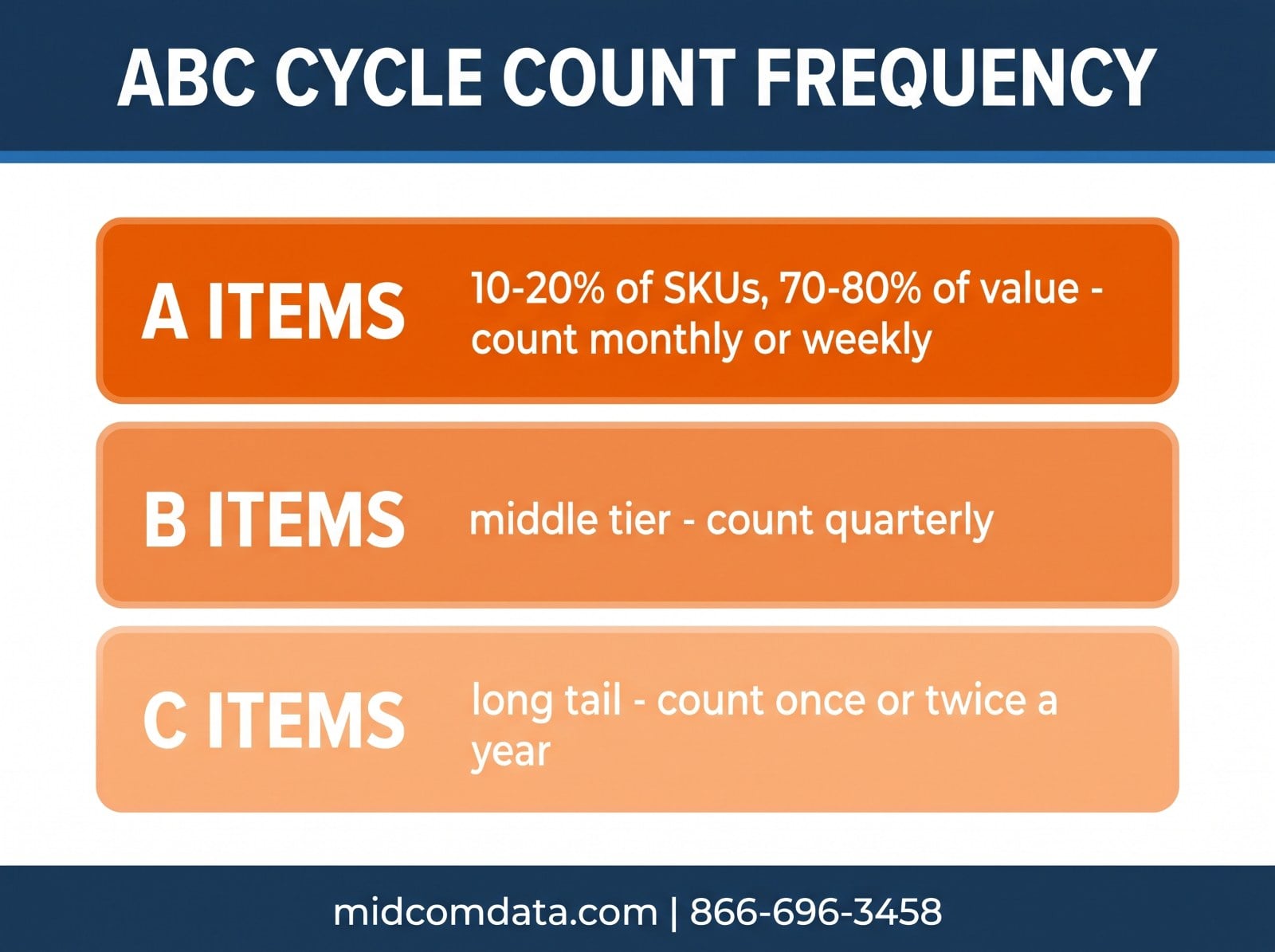
A items are the small percentage of SKUs that account for most of your inventory value or movement — usually 10 to 20 percent of SKUs representing 70 to 80 percent of value. Count these frequently: monthly, or weekly for the very top.
B items are the middle tier. Quarterly is typical.
C items are the long tail of low-value, slow-moving stock. Twice a year, or annually, is often enough.
Value isn’t the only criterion. Items with a history of variances deserve more frequent counts regardless of class. So do items in high-traffic locations, items that get picked in partial quantities, and anything where a stockout stops a line.
Work out the daily count load from the frequencies. If you have 500 A items counted monthly, that’s about 25 per working day. Add in the B and C rotation, and most operations land on a daily count of 30 to 60 locations — something one person handles in the first hour of a shift.
Blind counts vs. informed counts
An informed count shows the counter the expected quantity, and they confirm or correct it. It’s fast, and it’s biased — people see “expected: 48,” count 47, and decide they miscounted.
A blind count hides the expected quantity. The counter scans the location and reports what’s there, and the system compares. It takes slightly longer and produces honest data.
Blind counts are the better default. Informed counts have a place for very high-quantity locations where a full count is impractical — the counter verifies a case count and the system trusts the case quantity — but for anything where accuracy is the point, don’t show the answer first.
The scanner workflow
A well-designed cycle count on a handheld takes four scans and almost no typing.
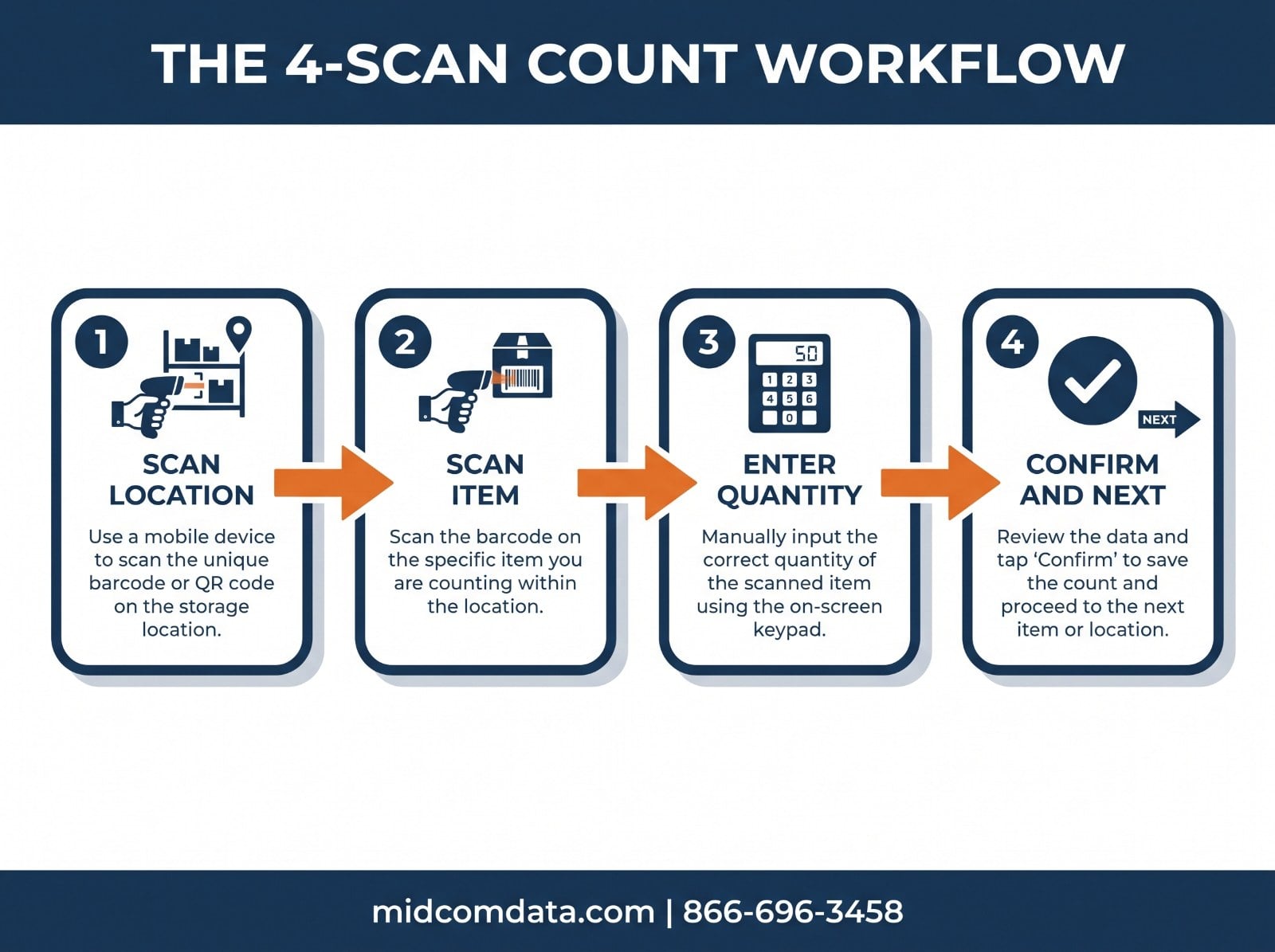
Scan the location label. This tells the system where the counter is and pulls up what should be there. If your location labels are inconsistent or missing, counts become guesswork at this step — our post on warehouse location labeling covers getting that foundation right.
Scan the item. Each distinct SKU in the location. This confirms what’s actually present and catches items that have drifted into the wrong location.
Enter or scan the quantity. For eaches, count and enter. For case quantities, scanning a case label that encodes the quantity avoids arithmetic errors.
Confirm and move to the next location. The device should show a clear done state and ideally direct the counter to the next location on the list, so they don’t have to look it up.
The device matters here. A rugged mobile computer — something like a Zebra TC52 or MC9300 — with a scan engine and a screen handles this in one hand without a separate scanner and clipboard. A corded scanner at a fixed workstation doesn’t work for counting; the counter has to go to the inventory. Our guide on choosing a rugged mobile computer covers what to look for.
Handling variances
A variance is a count that doesn’t match the system. What you do with it determines whether cycle counting improves your accuracy or just documents your inaccuracy.
Recount before adjusting. A single blind count that disagrees with the system should trigger a second count, ideally by a different person. Counting errors are common; adjusting inventory based on one is how you introduce the errors you were trying to find.
Set a tolerance. A variance of one unit on a location holding 2,000 may not be worth investigating. A variance of one unit on a location holding 3 is. Define tolerances by item class and quantity so counters know what triggers a recount and what gets accepted.
Find the cause, not just the number. Each confirmed variance has a reason: a mis-pick, a receiving error, a put-away to the wrong location, a transfer that wasn’t recorded, damage that wasn’t written off, theft. Cycle counting’s real value is that it finds errors soon enough to trace them. A variance found three days after a mis-pick can be traced to the order and the picker. A variance found at year-end can’t.
Track variance by location and by person. If one aisle generates most of your variances, look at what’s different about that aisle. If one picker’s orders generate most of them, that’s a training conversation.
What good looks like
The common metric is Inventory Record Accuracy: the percentage of counted locations where the count matched the system within tolerance. Operations running a mature cycle count program typically sit at 95 percent or better; 98 percent is a reasonable target for A items. If you’re below 90, the counting program isn’t the problem — the processes feeding errors into inventory are, and the counts are just revealing them.
The other sign of a working program is that variances trend down over time. If you’re finding the same number of errors every month, you’re measuring but not fixing.
Getting started
Don’t try to launch a full ABC program on day one. A simpler sequence works better.
Start by counting your A items only. That’s a manageable daily load and it’s where the money is. Run it for a month, fix the process problems it surfaces, and then add B items. Add C items once the A and B rotation is routine.
Pick a consistent time. Counts done first thing, before picking starts, are more accurate than counts done during active operations when stock is moving.
Make sure the scanning hardware is reliable before you depend on it. A counter whose battery dies at location 30 of 50 is a counter who finishes on paper, and paper counts have a way of not making it into the system. MIDCOM Data Technologies supplies mobile computers and scanners built for a full shift of this kind of work, and services them at over 3,000 locations across the U.S. and Canada.
If you’re setting up a cycle count program and want to talk through hardware, get in touch or call 866-696-3458.
Frequently asked questions
What is cycle counting in a warehouse?
Cycle counting is counting a small, rotating portion of inventory every day instead of counting everything once a year. Each location is counted on a schedule based on its value and activity — high-value fast movers monthly or weekly, slow movers a few times a year. It catches errors while the cause is still traceable and avoids shutting down for a full physical inventory.
How often should you cycle count?
It depends on the item’s ABC class. A items — the 10 to 20 percent of SKUs that represent most of your inventory value — are typically counted monthly or weekly. B items quarterly. C items once or twice a year. Items with a history of variances should be counted more often than their class alone would suggest.
What is the difference between a blind count and an informed count?
A blind count hides the expected quantity from the counter, who reports what’s physically there. An informed count shows the expected quantity for the counter to confirm. Blind counts take slightly longer and produce more honest data, because counters aren’t biased toward the number they’re shown. Blind is the better default.
What equipment do you need for cycle counting?
A handheld mobile computer with a built-in scan engine and a screen — something like a Zebra TC52 or MC9300 — lets a counter scan the location, scan items, enter quantities, and move on without a separate scanner and clipboard. Reliable location labels are the other requirement, since every count starts with a location scan.
What is a good inventory accuracy rate?
Operations with a mature cycle count program typically run 95 percent or better on Inventory Record Accuracy, meaning 95 percent of counted locations match the system within tolerance. 98 percent is a reasonable target for A items. Below 90 percent usually means the processes feeding errors into inventory need attention, not the counting itself.