
How To Create A Barcoding System
How to Set Up a Barcode System from Scratch
Setting up a barcode system from scratch
A barcode system requires three things working together: a printer to produce the labels, a scanner to read them, and software to connect scans to your inventory or shipping data. Getting all three pieces right from the start prevents the rework and compatibility headaches that plague operations that buy hardware first and figure out integration later.
Choosing a barcode format
Before you buy any hardware, decide what barcode symbology your operation needs. The symbology is the specific type of barcode — the pattern of bars and spaces that encodes your data. Pick the wrong one and your labels won’t scan at their destination, or your scanner won’t decode them fast enough.
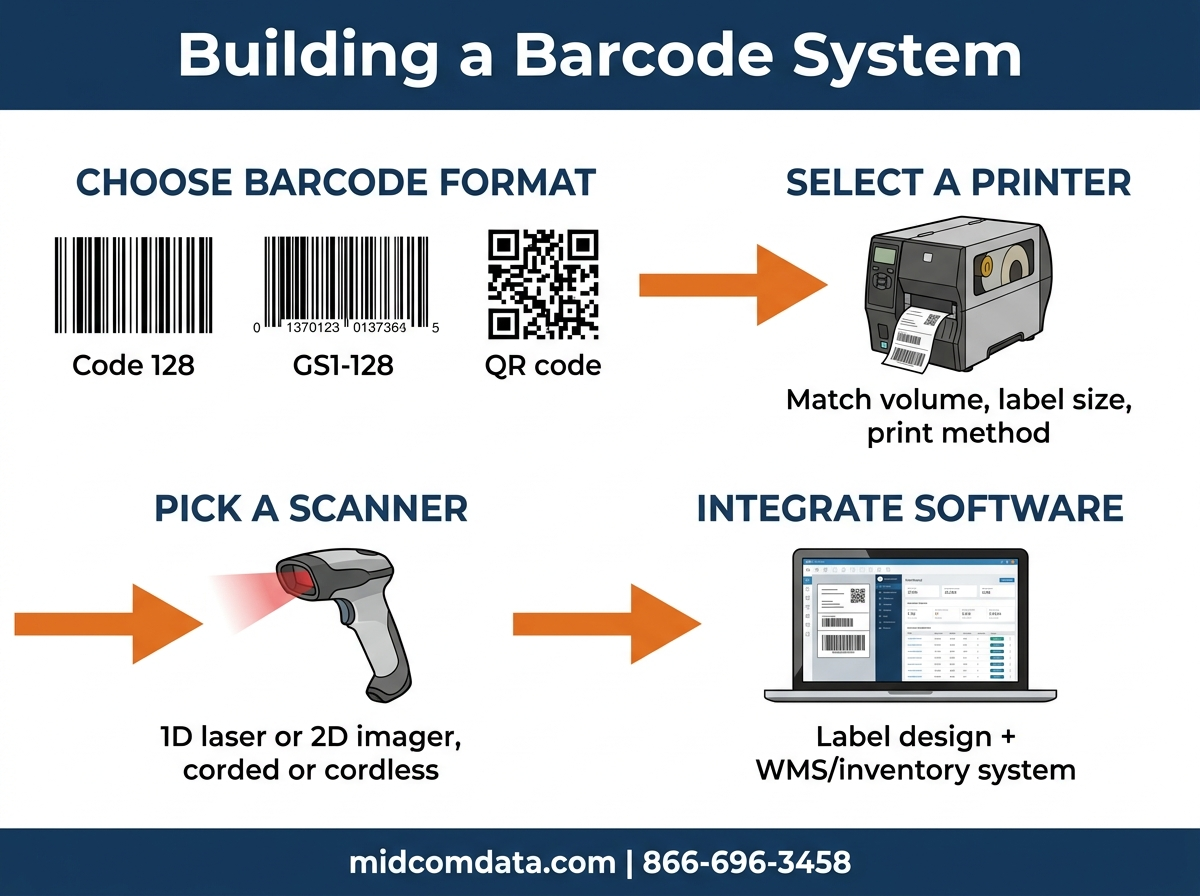
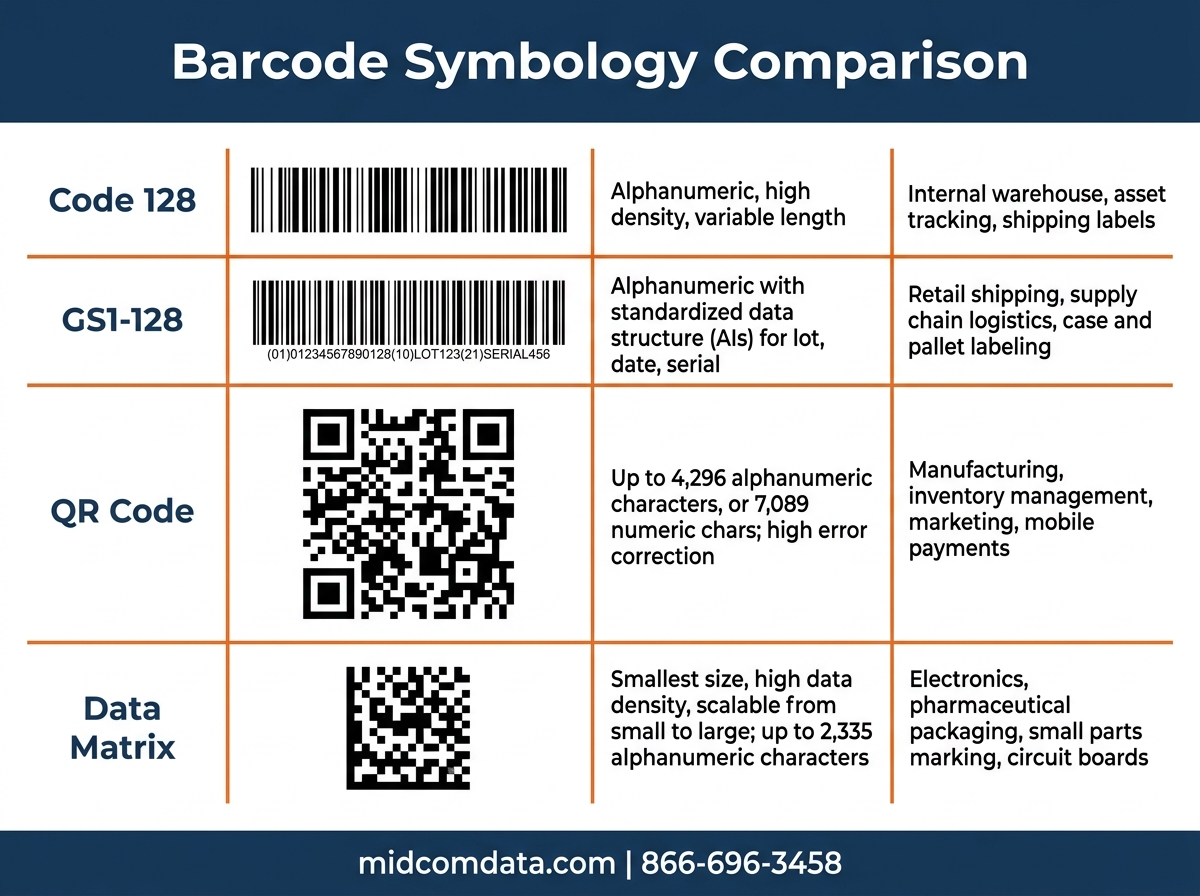
Code 128 is the most common choice for internal warehouse operations. It encodes alphanumeric data efficiently, supports variable lengths, and every modern scanner reads it without configuration changes. If you’re labeling shelves, bins, and internal inventory, Code 128 covers you.
GS1-128 (formerly UCC/EAN-128) is required by many retailers and logistics partners for shipping labels. It uses the same Code 128 structure but adds Application Identifiers that encode specific data fields — lot numbers, expiration dates, serial numbers, weight. If you ship to Walmart, Amazon, Target, or any major retailer, their routing guide probably specifies GS1-128.
QR codes and Data Matrix are 2D formats that pack more data into less space. They’re standard in manufacturing (part tracking), healthcare (specimen labeling), and electronics. You need a 2D imager scanner to read them — a basic laser scanner won’t work.
If you’re not sure, start with Code 128 for internal use and GS1-128 for outbound shipping. You can always add 2D symbologies later without replacing your printers — you’ll just need 2D-capable barcode scanners.
Selecting a thermal printer
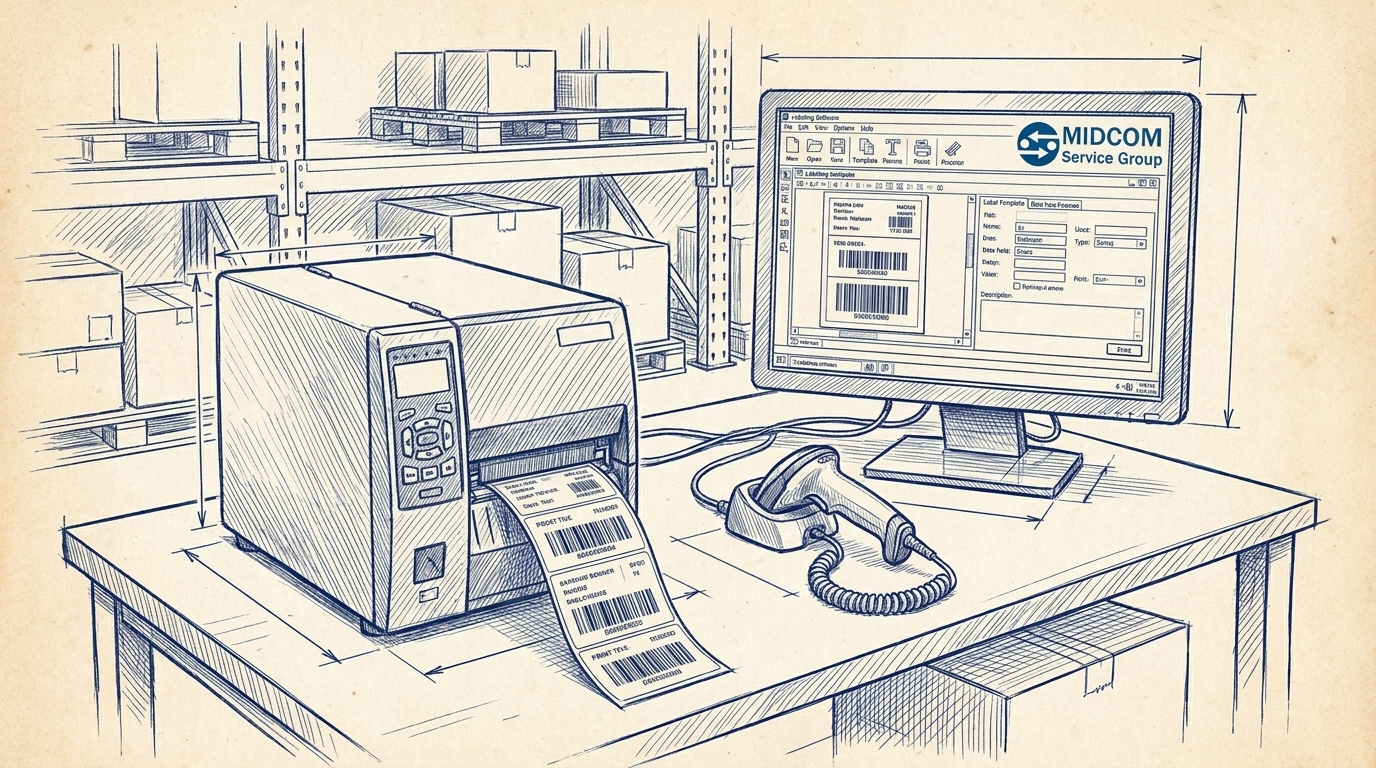
Your barcode printer produces the labels your system runs on. For a new barcode system, you need to answer four questions before picking a model:
How many labels per day?
Desktop printers like the Zebra ZD421 handle up to 500 labels per day comfortably. They’re compact, affordable ($400 to $800), and simple to set up. If you’re printing 500 to 5,000 labels daily, step up to a mid-range industrial printer like the Zebra ZT231 or ZT411. These run $1,200 to $2,500, print faster (up to 14 inches per second on the ZT411), and hold larger media rolls so you’re not reloading constantly. Above 5,000 labels per day, you’re looking at high-volume industrial units like the Zebra ZT610 or Honeywell PX940.
What label size do you need?
Standard shipping labels are 4×6 inches. Most industrial printers handle media widths from 1 inch to 4.25 inches (desktop) or up to 8.5 inches (wide-format industrial). Measure the labels you need before buying — a 4-inch-wide printer can’t produce a 6-inch-wide compliance label.
Direct thermal or thermal transfer?
If your labels are short-lived (shipping labels scanned at the dock and discarded), direct thermal saves you the cost of ribbon. If labels need to last months or survive heat, moisture, or chemicals, you need thermal transfer. Most industrial printers support both methods — check the specs to confirm.
What print resolution?
203 DPI is standard for shipping labels and most warehouse applications. 300 DPI handles smaller labels and higher-density barcodes. 600 DPI is for tiny labels in electronics or pharmaceutical applications. Higher resolution means slower print speed and more expensive printheads, so don’t over-spec — 203 DPI handles 90% of warehouse barcode printing.
MIDCOM Data Technologies carries new and refurbished thermal printers from Zebra, Honeywell, SATO, and Printronix. If you’re not sure which model fits your volume and label requirements, call 866-696-3458 and our team will spec the right unit.
Picking the right barcode scanner
Your scanner needs to read the symbologies you’re printing, survive your work environment, and connect to your system reliably.
1D laser vs. 2D imager
If you’re only scanning traditional bar-and-space barcodes (Code 128, GS1-128, UPC), a 1D laser scanner is fast and affordable. Models like the Zebra LS2208 cost $150 to $250 and decode over 100 scans per second. If you need to read QR codes, Data Matrix, or barcodes on screens, you need a 2D imager. The Zebra DS2208 or DS3678 handles both 1D and 2D symbologies — it’s the safer choice if you might add 2D barcodes later.
Corded vs. cordless
Corded scanners are reliable and never need charging, but they tether the operator to a workstation. Cordless (Bluetooth or Wi-Fi) scanners like the Zebra DS3678 give operators freedom to roam the warehouse floor, scanning pallets, shelves, and racks without returning to a base station. Battery life on modern cordless scanners runs 8 to 12 hours on a single charge.
Ruggedness
A scanner used at a clean pack station doesn’t need the same protection as one carried through a freezer or bounced off a concrete warehouse floor. IP ratings tell you how much dust and water the scanner can handle. An IP52 rating is fine for an office. An IP65 or IP67 is what you want for a warehouse. Drop spec matters too — look for a 6-foot drop spec minimum for any handheld scanner used on the floor. Check out our guide on how to read scanner spec sheets for more detail on what these ratings mean.
Browse MIDCOM’s barcode scanner catalog to compare models, or call us to talk through what you need.
Software and integration
Hardware without software is expensive paperweight. Your barcode system needs software that ties scans to actions — receiving inventory, picking orders, shipping packages, tracking assets.
Label design software
You need software to design your label templates and send print jobs to the printer. ZebraDesigner (free basic version, paid Pro version) works with any Zebra printer and supports GS1-128, QR codes, and variable data fields. BarTender by Seagull Scientific is the industry standard for complex label design and works with all major printer brands. NiceLabel is another solid option with cloud-based template management.
Warehouse management or inventory software
The scanner needs somewhere to send the data it reads. If you’re running a WMS (warehouse management system) like Fishbowl, SKULabs, or a custom ERP module, your scanners connect to it via USB, Bluetooth, or Wi-Fi. The WMS receives the scanned barcode, looks up the item, and triggers the next action (put-away, pick confirmation, shipment verification).
If you don’t have a WMS yet and you’re starting small, a simple spreadsheet or inventory app can work for the first few hundred SKUs. But plan your barcode format and label fields with future WMS integration in mind — migrating barcode formats mid-operation is painful and expensive.
Testing the connection
Before you print 10,000 labels and hand scanners to your team, test the full loop: print a label, scan it with your scanner, and verify the data arrives correctly in your software. Check that the barcode scans on the first pass from 6 to 12 inches away. If it takes multiple attempts or requires holding the scanner at a specific angle, your print quality settings need adjustment — usually darkness or speed.
Label stock and consumables
With your printer and scanner selected, you need the right label stock. This is where a lot of new setups go sideways — buying the cheapest labels and wondering why barcodes are fuzzy or peeling off products.
Match your label material to your print method and application. Standard white paper labels work for most warehouse applications with wax ribbon (thermal transfer) or direct thermal. Synthetic labels (polyester, polypropylene) handle moisture, chemicals, and temperature extremes but cost 3 to 5 times more per label and require resin ribbon.
Don’t forget adhesive type. Permanent adhesive is standard for product labels. Removable adhesive works for temporary shelf labels or bin markers you’ll reposition. Freezer-grade adhesive is required for cold storage — standard adhesive won’t stick below 20°F.
MIDCOM stocks labels, ribbons, and consumables matched to every major printer brand. Order the right media the first time rather than experimenting with off-brand labels that jam your printer or produce unreadable barcodes.
Scaling up: when you outgrow your first setup
A barcode system that works for 200 SKUs and 100 shipments per day will hit limits as you grow. Here’s what to watch for:
Print bottlenecks: If your label printer can’t keep up with your pack line, you need a faster model or a second printer. A desktop printer that was fine at 200 labels per day becomes a chokepoint at 1,000. The jump from a Zebra ZD421 to a ZT411 typically solves this for operations up to 5,000 labels daily.
Scanner coverage gaps: One corded scanner at the receiving desk works when you process 20 pallets a day. When you hit 100, you need cordless scanners on the floor and possibly fixed-mount scanners on conveyor lines. Plan for scanner density based on where scans happen — receiving, put-away, picking, packing, and shipping each may need a dedicated scanner.
Software limits: A spreadsheet inventory system breaks around 500 SKUs or when you add a second warehouse location. That’s when a proper WMS pays for itself in accuracy and labor savings.
If you’re planning to grow, a service contract from MIDCOM ensures your equipment stays running as volume increases. Our technicians service over 3,000 locations across the U.S. and Canada and can help you scale your barcode infrastructure as your operation grows. Contact us for a system consultation.
Frequently asked questions
How much does a basic barcode system cost?
A starter barcode system with a desktop thermal printer, one handheld scanner, label design software, and an initial supply of labels and ribbon runs $700 to $1,500. An industrial setup with a faster printer, multiple cordless scanners, and WMS integration runs $3,000 to $8,000 depending on scale.
Do I need special software to print barcodes?
Yes. You need label design software like ZebraDesigner, BarTender, or NiceLabel to create label templates and send print jobs to your thermal printer. Most printer manufacturers offer a free basic version of their design software.
Can I use my phone to scan barcodes instead of buying scanners?
Phone cameras can read barcodes, but they’re much slower and less reliable than dedicated scanners in a warehouse environment. A dedicated scanner decodes in milliseconds from 12+ inches away. A phone camera needs steady aim, good lighting, and a second or two per scan. For occasional scanning of a few items, a phone works. For production scanning, invest in proper hardware.
What’s the most common mistake in setting up a barcode system?
Buying hardware before understanding the barcode format requirements of your customers and shipping partners. If a retailer requires GS1-128 labels and you’ve been printing Code 39, you’ll need to redesign every label template. Start with the requirements and work backward to the hardware.
How long does it take to set up a barcode system from scratch?
A basic system (one printer, one scanner, label software) can be operational in 1 to 2 days. A multi-station industrial setup with WMS integration typically takes 2 to 4 weeks, including label template design, scanner configuration, software setup, and operator training.
To learn more about barcoding systems and products to make them operational, contact MIDCOM Data Technologies at (866) 696-3458 or fill out the form below. We are here to help!